Services
This guide explores working with services. Epinio allows users to connect their applications to services such as databases and other backing services. For more information see the services reference page.
View Services
- UI
- CLI
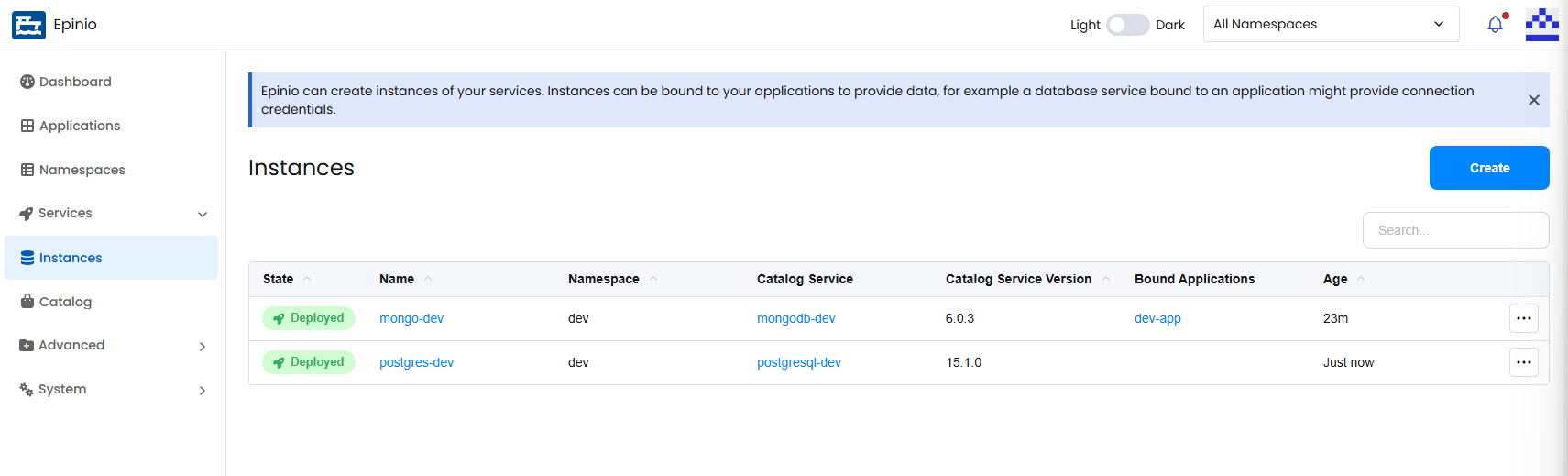
To view all service instances, navigate to the Instances page under the Services section in the side navigation menu.
List all services:
epinio service list
Create a Service
- UI
- CLI
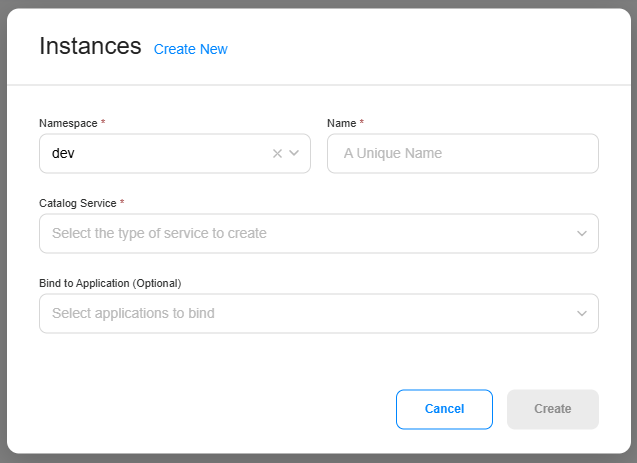
Click Create on the Services page to open the creation modal. This modal can also be accessed from the Service Catalog.
Select the namespace that the service belongs to, provide a unique name, and choose the catalog service that will be used to create the instance.
If the service should be connected to an application, you can bind it during creation. Services can also be bound or unbound later by editing either the service or the application.
Create a service instance:
epinio service create mysql-dev mydb
Edit Service Bindings
- UI
- CLI
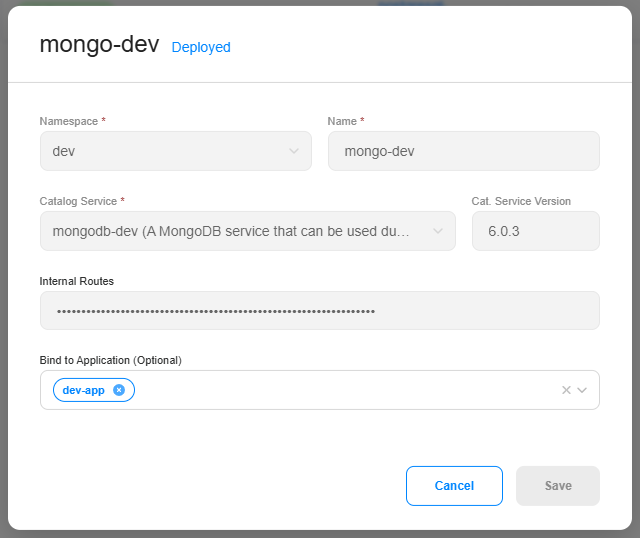
To edit a service, open the action menu for the service instance and select Edit. From here you can bind or unbind the service from applications.
Bind a service to an application:
epinio service bind mydb sample
Unbind a service from an application:
epinio service unbind mydb sample
Delete a Service
- UI
- CLI
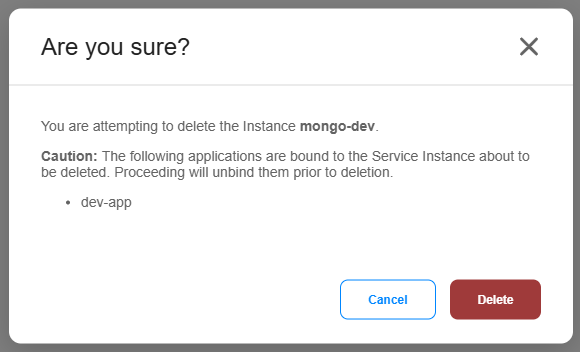
To delete a service instance, open the action menu and select Delete. If the service is currently bound to an application, Epinio will unbind it before removing the service.
Delete a service:
epinio service delete mydb
Additional CLI Docs
For additional documentation on the CLI commands above, along with additional commands, see the epinio service CLI reference.